Are you having trouble with SoftBank Energy (SoftBank Denki)?
Living in Tokyo is amazing, but dealing with Japanese utility companies can be stressful, especially when language is a barrier. Whether you’re facing high bills, payment issues, or technical glitches, this guide will help you navigate the situation in plain English.
1. Common Issues with SoftBank Energy
Most international residents in Japan face these three main problems:
• High Billing: Why is my bill higher than last month?
• Payment Failures: My credit card was rejected, or I lost my convenience store payment slip.
• My SoftBank App Errors: I can’t log in to see my usage.
2. How to Contact Support (The “Language Gap” Solution)
SoftBank Energy’s main support is primarily in Japanese. If you don’t speak Japanese, here is the best way to handle it:
• Phone Support: Call 0800-170-3710 (Toll-free).
• Tip: If you cannot speak Japanese, use a translation app or ask a Japanese-speaking friend to help you. Say: “Eigo no tantousha wa imasu ka?” (Is there an English speaker?)
3. Key Vocabulary You Need to Know
When looking at your bill or dashboard, look for these keywords:
• Electricity Bill: 電気代 (Denki-dai)
• Usage Amount: 使用量 (Shiyou-ryou)
• Payment Method: 支払い方法 (Shiharai-houhou)
• Cancellation Fee: 解約金 (Kaiyaku-kin)
4. Moving or Cancelling?
If you are moving within Tokyo or leaving Japan, you must notify them at least 7 to 10 days in advance. You can usually do this via the “My SoftBank” portal.
This article is based on the author’s personal experience and information available as of February 2026. While we strive to provide accurate information, please note that SoftBank Energy’s policies, contact numbers, and procedures may change. For official support and critical issues regarding your electricity contract, we recommend contacting SoftBank Energy’s official customer support directly. Life Hacks Tokyo is not responsible for any issues arising from the use of this information.
Hi there! I’m Adachi Hack-kun, your local guide to making life in Tokyo easier and more fun!
Have you ever needed to print a hotel voucher, a ticket, or a document while traveling in Japan? Don’t worry—you don’t need to find an office supply store. You can do it 24/7 at any convenience store (Konbini) like 7-Eleven, Lawson, or FamilyMart!
Here is the easiest way to print from your smartphone using the “Network Print” service.
1. What is “Network Print”?
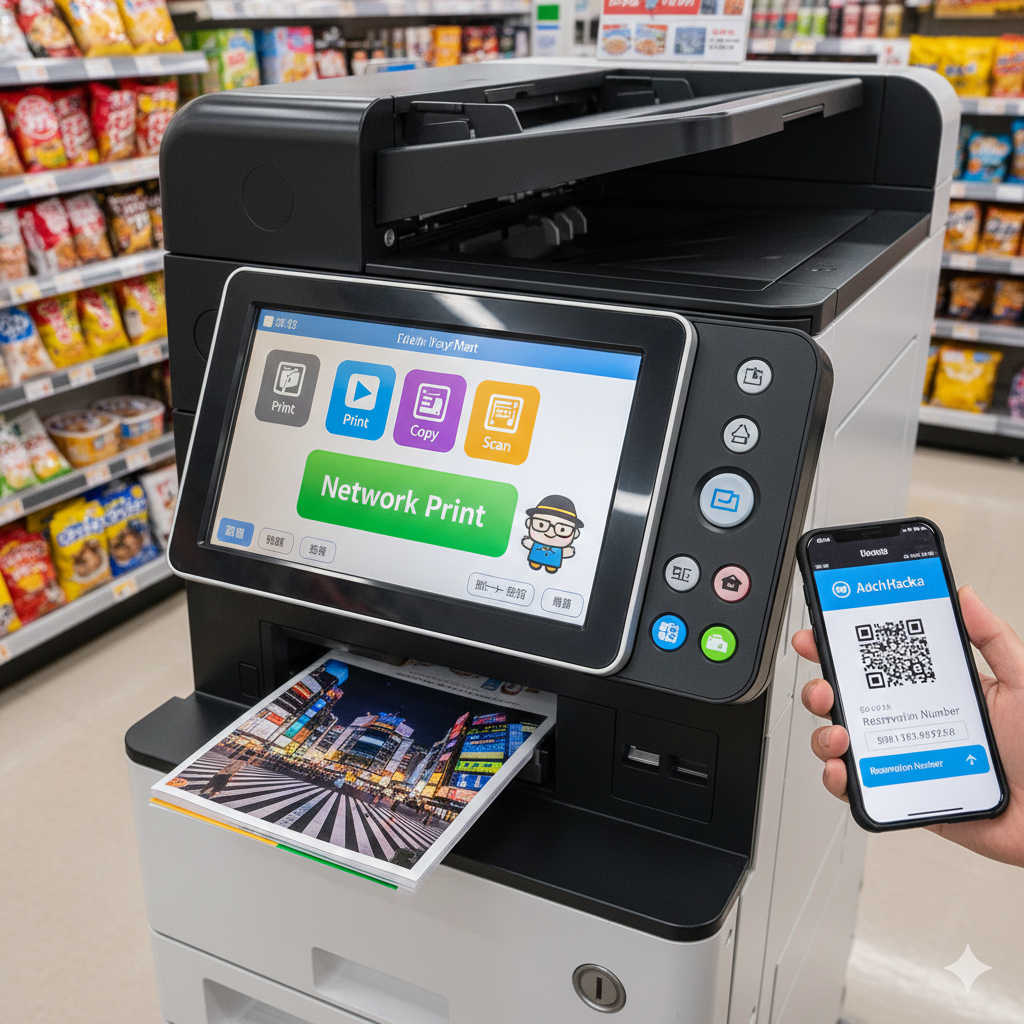
It’s a super convenient service where you upload your files to the cloud from your phone and print them using a multi-copy machine at a convenience store. No cables, no USB drives, and no registration required!
💡 Looking for more Tokyo Hacks?
If you’re struggling with something in Tokyo—like “How do I use this ticket machine?” or “Where is the best coin locker?”—please let me know in the comment section below! I’m here to investigate and solve your problems for you.
2. Get your User ID: Once uploaded, you’ll receive a Print Number (User ID) or a QR code.
3. Go to a Konbini: Find a Lawson or FamilyMart (for this specific service).
4. Print!: On the machine’s touch screen, select “Network Print,” enter your ID, insert coins, and you’re done!
3. Why This is a Life-Saver for Travelers
• Cheap: Only about 10–100 yen per page.
• Everywhere: There’s a convenience store on almost every corner in Tokyo.
• English Menu: Most copy machines have an “English” button in the top corner!
Help Me Help You!
As Adachi Hack-kun, I want to make your Japan trip as smooth as possible.
What should I research next? Whether it’s a hidden spot in Adachi or a complex subway transfer, feel free to leave a comment! I’ll go there, check it out, and write a guide for you.
Got any life hacks or mysteries you want me to research?